Dashboards / Getting Started w/ Dashboards
How to duplicate a dashboard to another sub-account
Modified on: Fri, 4 Apr, 2025 at 6:07 PM
Dashboard can be duplicated to a different subaccount.
TABLE OF CONTENTS
What Is Dashboard Duplication?
Dashboards are created and exist inside a subaccount. You can clone a dashboard to make a copy in the same subaccount, or you can duplicate a dashboard to make a copy in a different subaccount.
Duplicate A Dashboard
Step 1: Duplicate To Another Sub-account
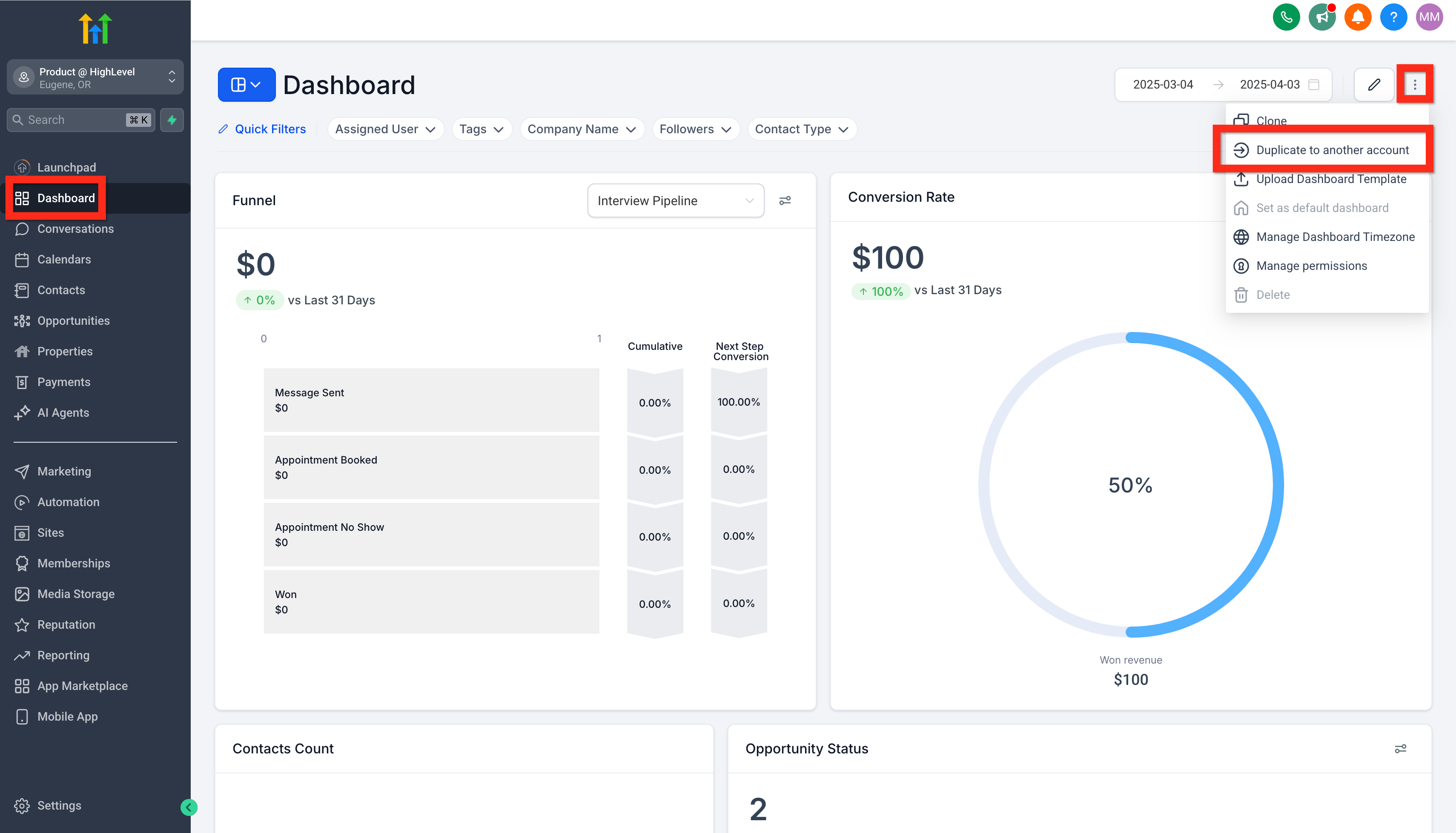
Navigate to Subaccount > Dashboard > action menu (3-dots), and click the Duplicate to another sub-account button.
Step 2: Configure and Save
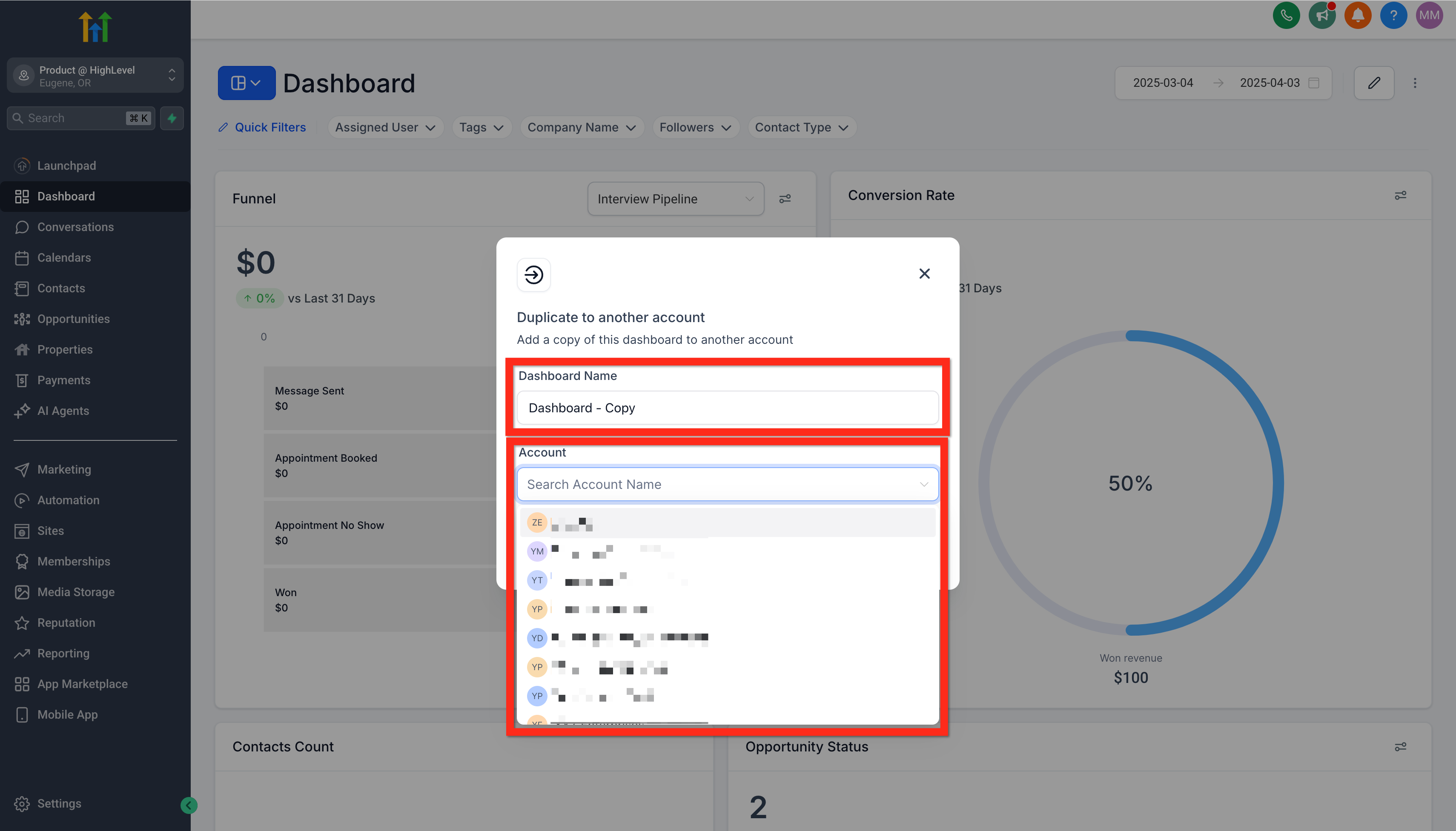
In the Duplicate to another sub-account modal, type the name of the new dashboard, select the target subaccount, and click the duplicate button. This will create the new dashboard in the target subaccount.
Step 3: Connect Broken Data Sources
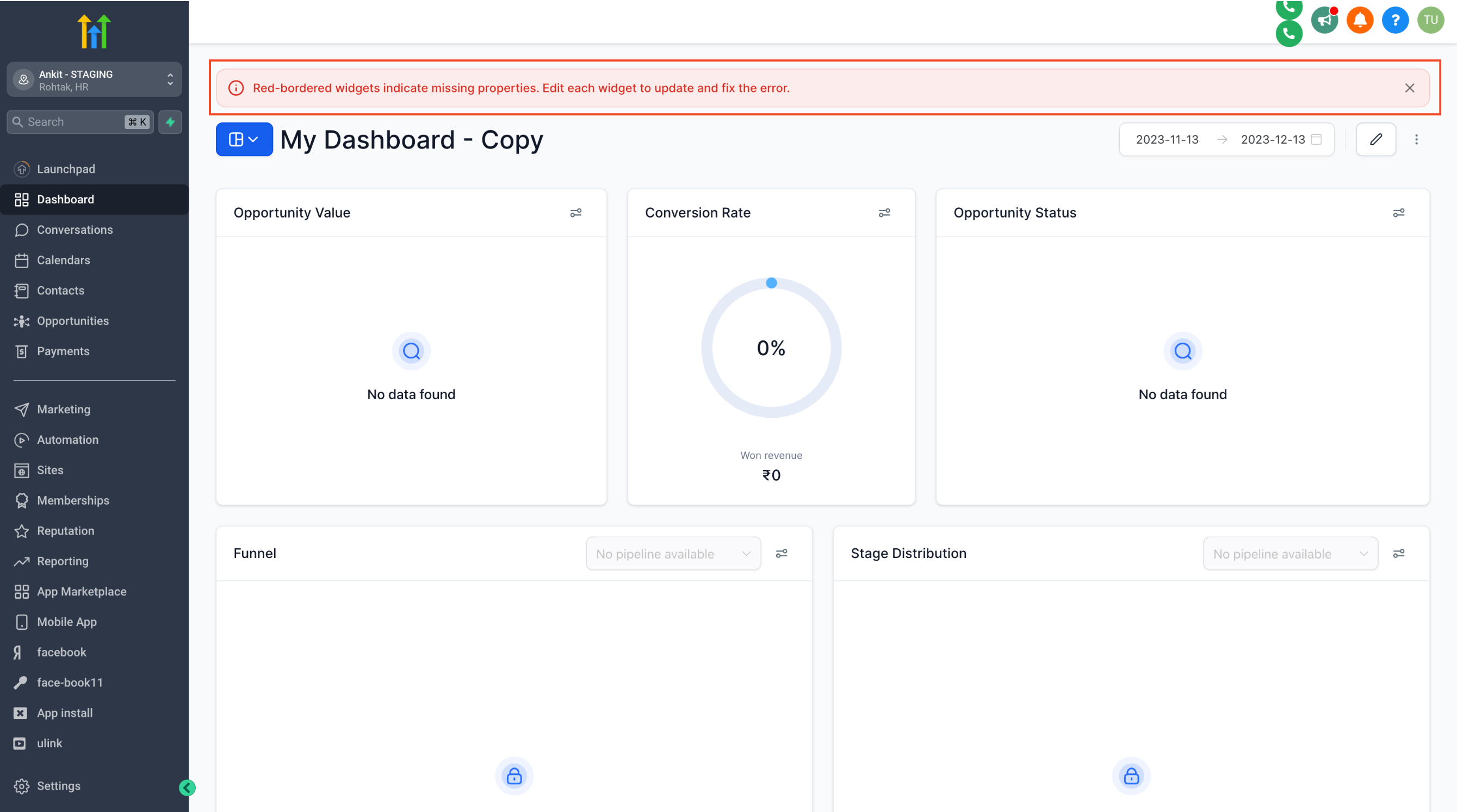
If the widgets in the dashboard use data sources that do not exist in the target subaccount then those widgets will show with red borders and the error message: "error while loading data". Delete the widgets or connect them to an appropriate data source.