
OmniReach Affiliates Program / Affiliates Program
Affiliate Referral Page - Leads, Customers, Cancelled Statuses
Modified on: Thu, 9 Apr, 2026 at 10:20 PM
The Affiliate Referral Page is a vital component for affiliates using OmniReach’s Affiliate Manager system. This article exists to help affiliates and administrators clearly understand how contacts are categorized within the affiliate referral lifecycle—specifically as Leads, Customers, or Cancelled.
TABLE OF CONTENTS
Everything will be updated very soon to reflect the latest version. In the meantime, if anything feels unclear, reach out to your Affiliate Manager with any questions.
Where can I find the Referral page?
In the Affiliate Portal, navigate to the Referrals section from within your dashboard to view all referral activity.
1. Click on Affiliate Portal
2. Click on Referrals at the top of the dashboard.
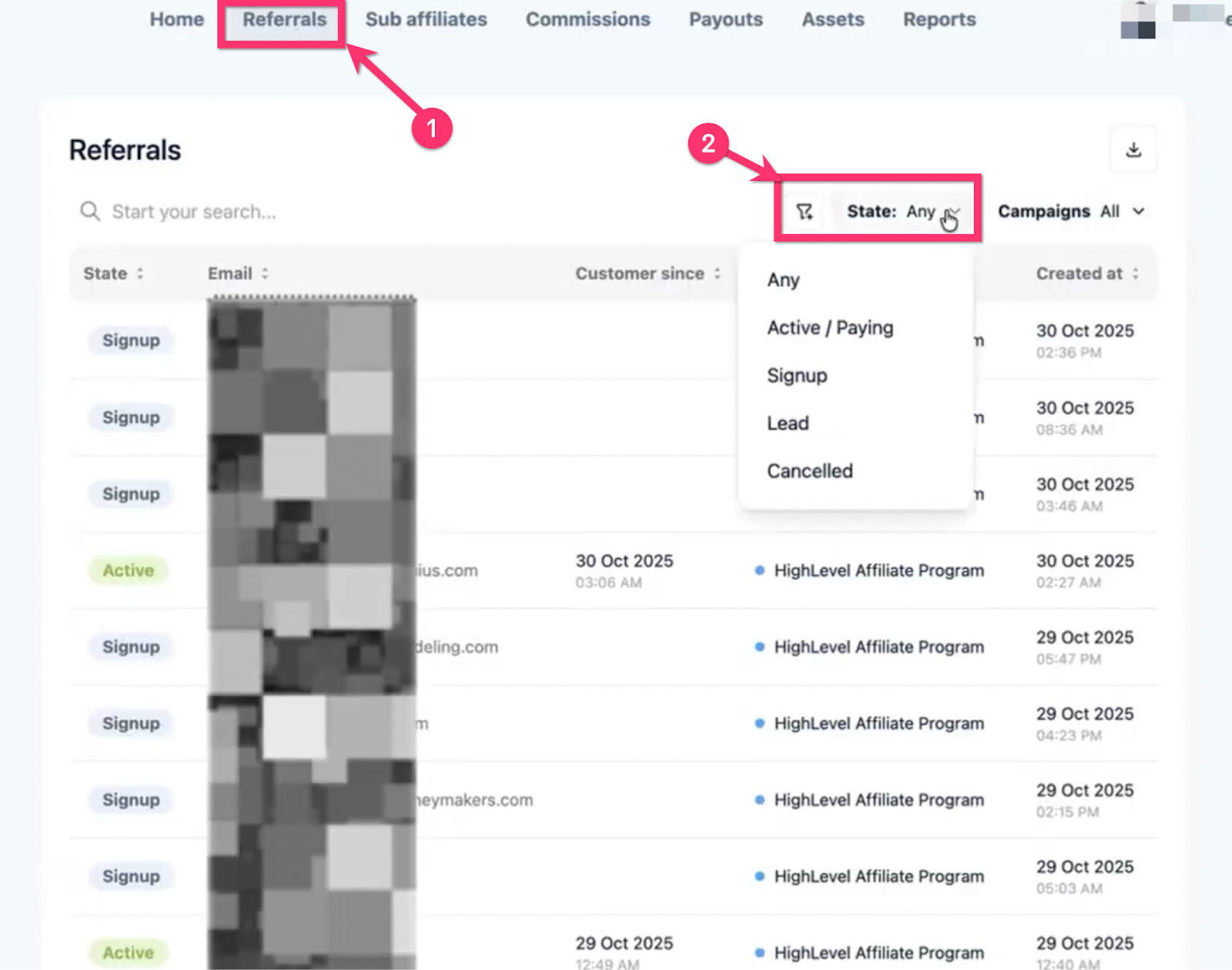
Your Referral Categories
- Any
- Active / Paying
- Signup
- Lead (or, "Subscribed")
- Canceled
Any
This shows all your affiliate customers from every referral category.
Active / Paying
These are your current active affiliate customers who are paying a OmniReach subscription. You are earning a commission on these customers every time they renew their subscription!
Free / TrialSignup
These customers have completed the sign-up, and they have active go OmniReach accounts on a free trial
These customers will have a status that says Not A customer yet. This means they are in trial and will become a customer when they pay their first subscription.
Lead (or, "Subscribed")
These are customers that have only completed step one of the free trial sign-up. They began the sign-up process using your referral link, but did not complete it to begin their free trial.

Canceled
These customers have canceled OmniReach subscriptions. You are currently not getting a commission on these customers. When these customers renew their subscription they will switch back to the paying category.