
Settings / Sub-Account Settings
How do I find my Client's Location ID?
Modified on: Fri, 20 Mar, 2026 at 9:48 AM
When you interact with our support teams, they may request you to provide a location ID where you face a problem. Location ID is a unique ID given to every sub-account in your agency account. This helps us identify your client's account and narrow down our trouble shooting efforts.
Option 1: From Business Profile
To locate the location ID, follow these steps:
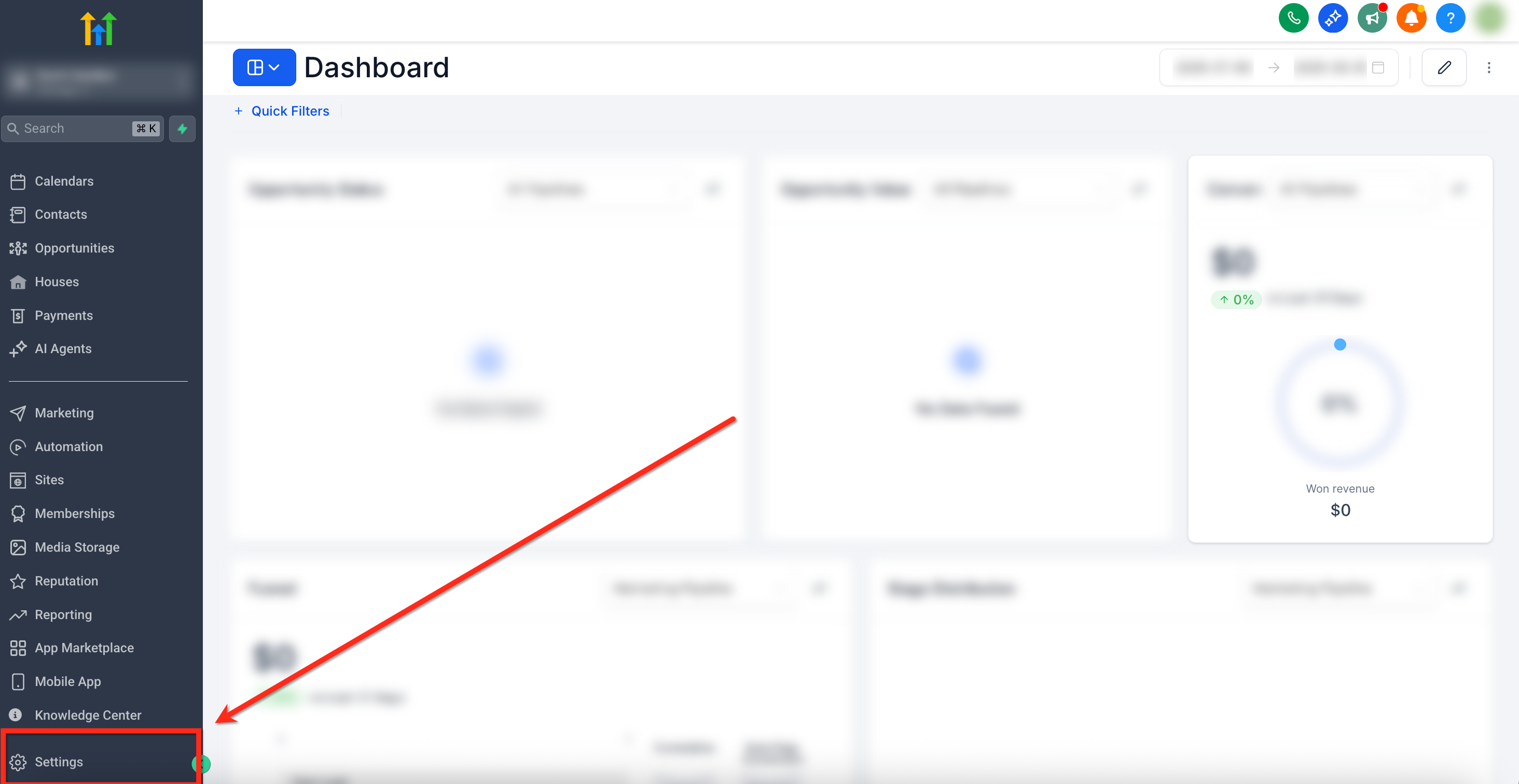
- From the Sub-Account Dashboard, go to Settings in lower right-hand corner
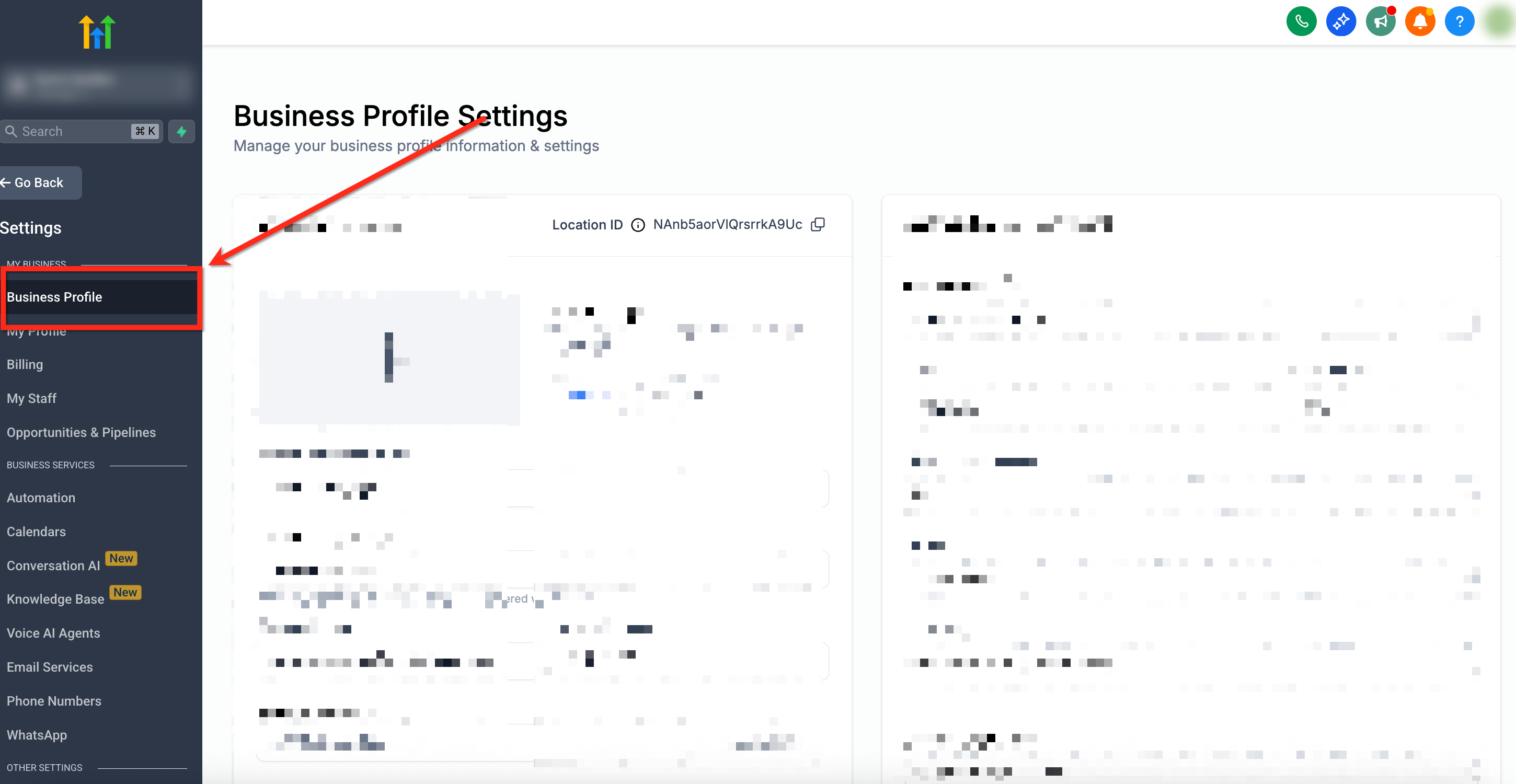
- Select Business Profile on the left-side navigation bar
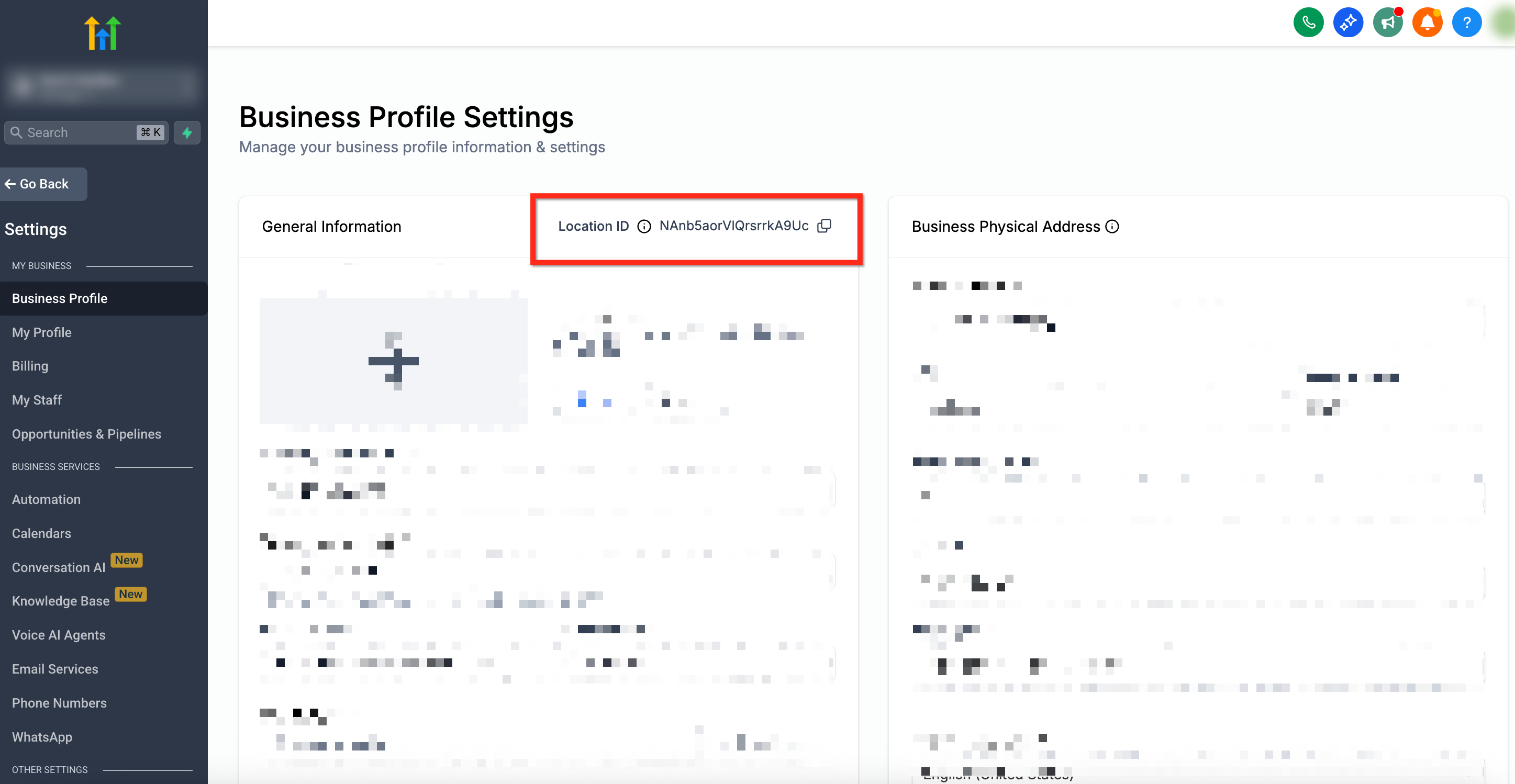
- The Location ID will be visible as shown below
Option 2: From the URL
If you are already inside the client’s sub-account, you can quickly find the Location ID in your browser’s address bar.
Open the client’s sub-account.
Look at the URL in your browser.
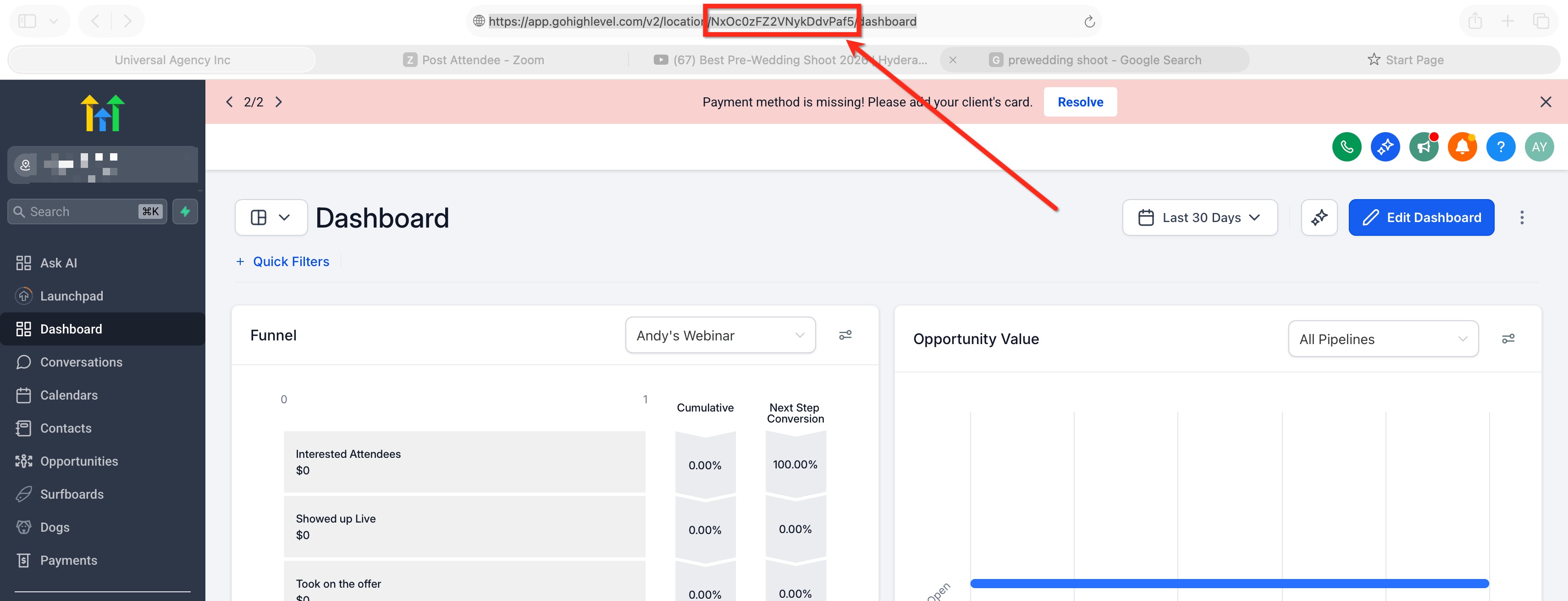
Find the value that appears after
/location/or in thelocationId=parameter.That value is the Location ID.
Example:https://app.../v2/location/abc123XYZ/dashboard
In this example, abc123XYZ is the Location ID.