
Integrations / Stripe Integration
How to Connect Stripe to Your Sub-Account
Modified on: Thu, 3 Jul, 2025 at 9:58 AM
Learn how to integrate Stripe into your sub-account.
IMPORTANT: Stripe is currently supported in the following countries (https://stripe.com/in/global), with more to come. Once Stripe is supported in your country, you’ll be able to sell to customers anywhere in the world.
TABLE OF CONTENTS
- Steps To Connect Stripe to a Sub-Account
- Step 1: There are three (3) ways to get to the sub-account Stripe integration
- Step 2: Follow Stripe's authorization instructions.
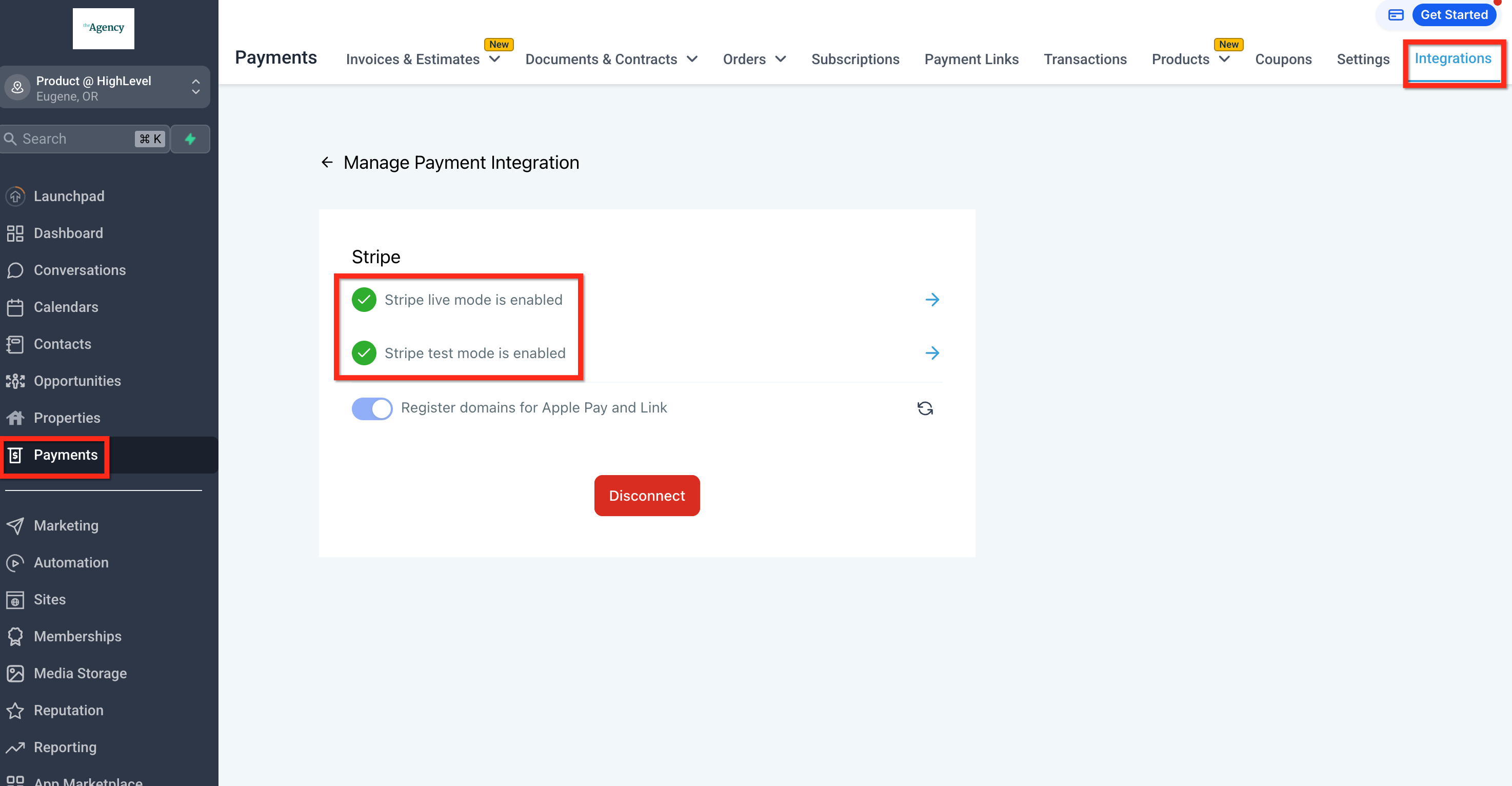
- Step 3: Verify that Stripe is enabled.
Steps To Connect Stripe to a Sub-Account
Step 1: There are three (3) ways to get to the sub-account Stripe integration.
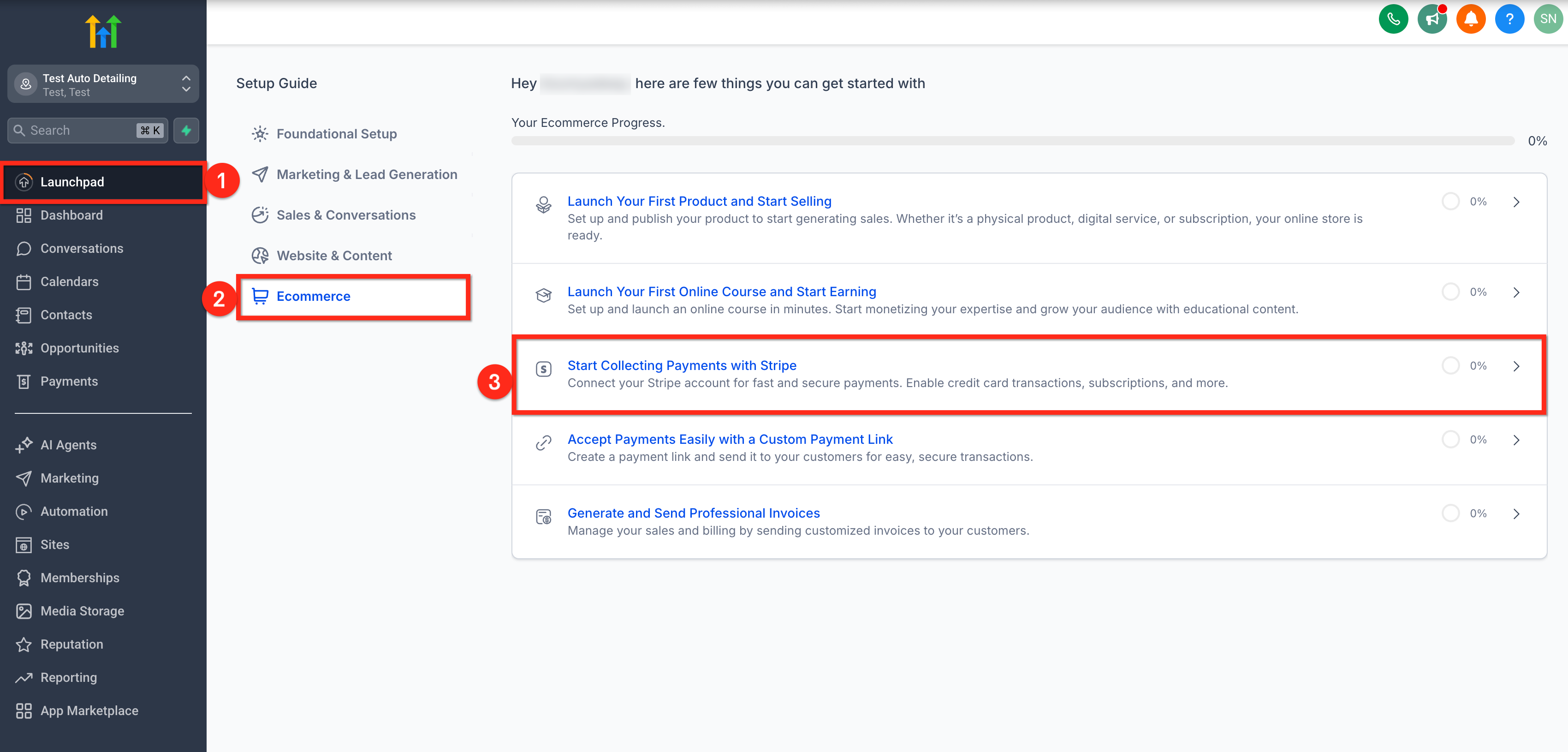
Option 1: From Sub-Account Launchpad
- Click on Launchpad from your sub-account.
- Select Ecommerce from the Setup Guide.
- Click on Start Collecting Payments with Stripe option.
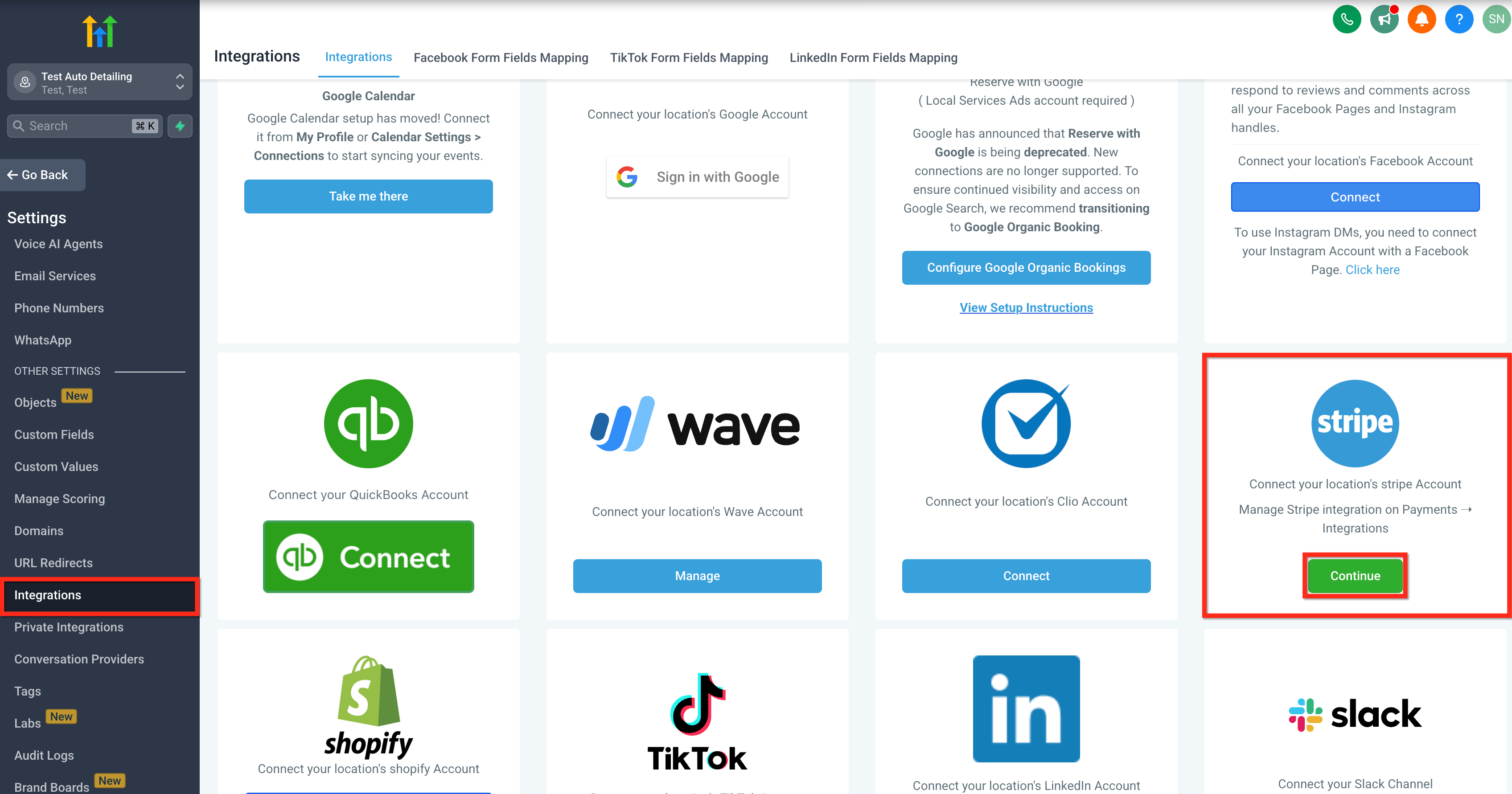
Option 2: From Integrations
- Click on Settings from your sub-account.
- Click on Integrations.
- Click on the Continue button for Stripe.
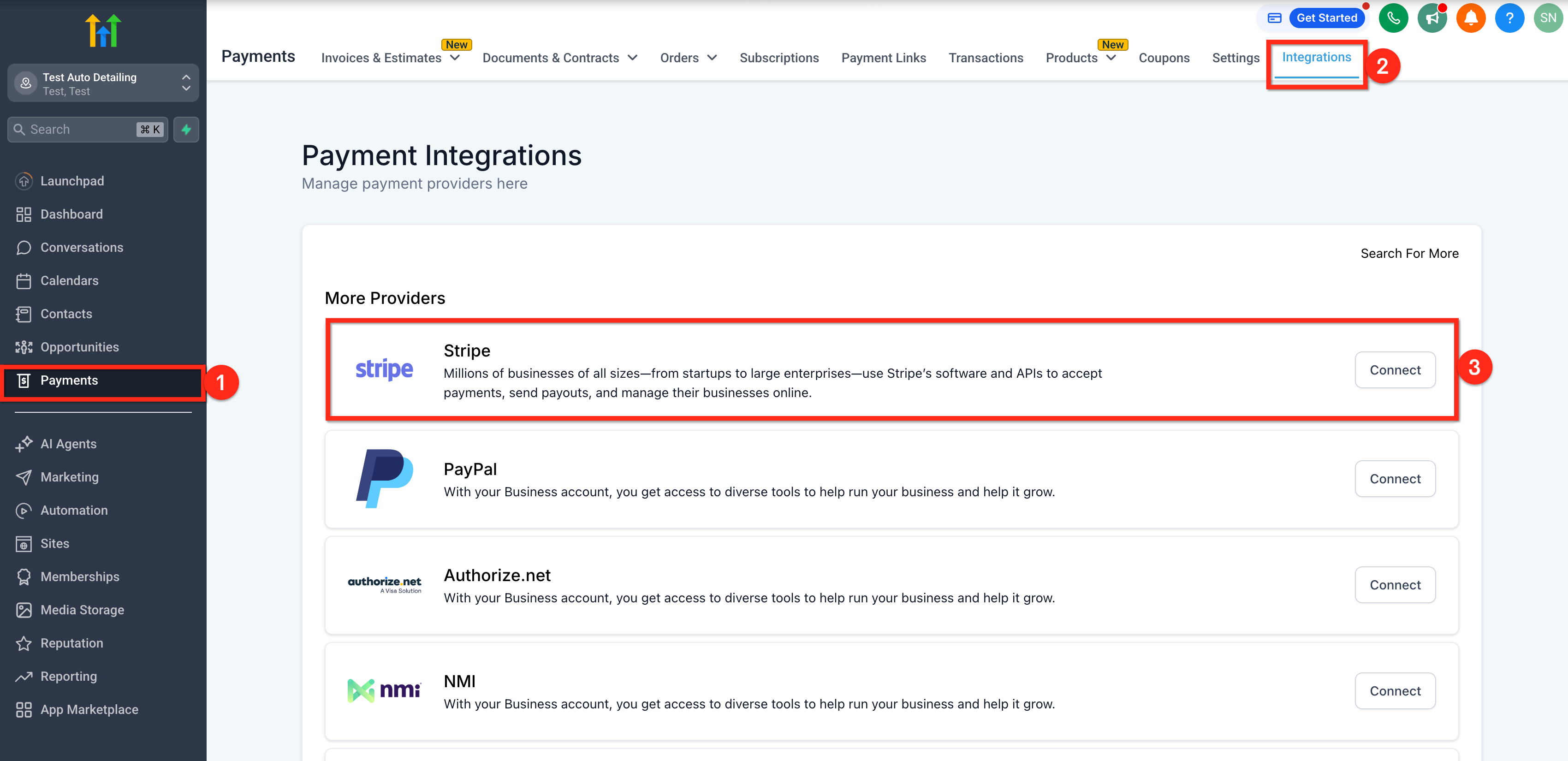
Option 3: From Payments
- Click on Payments from your sub-account.
- Click on the Integrations tab.
- Click on the Connect button for Stripe.
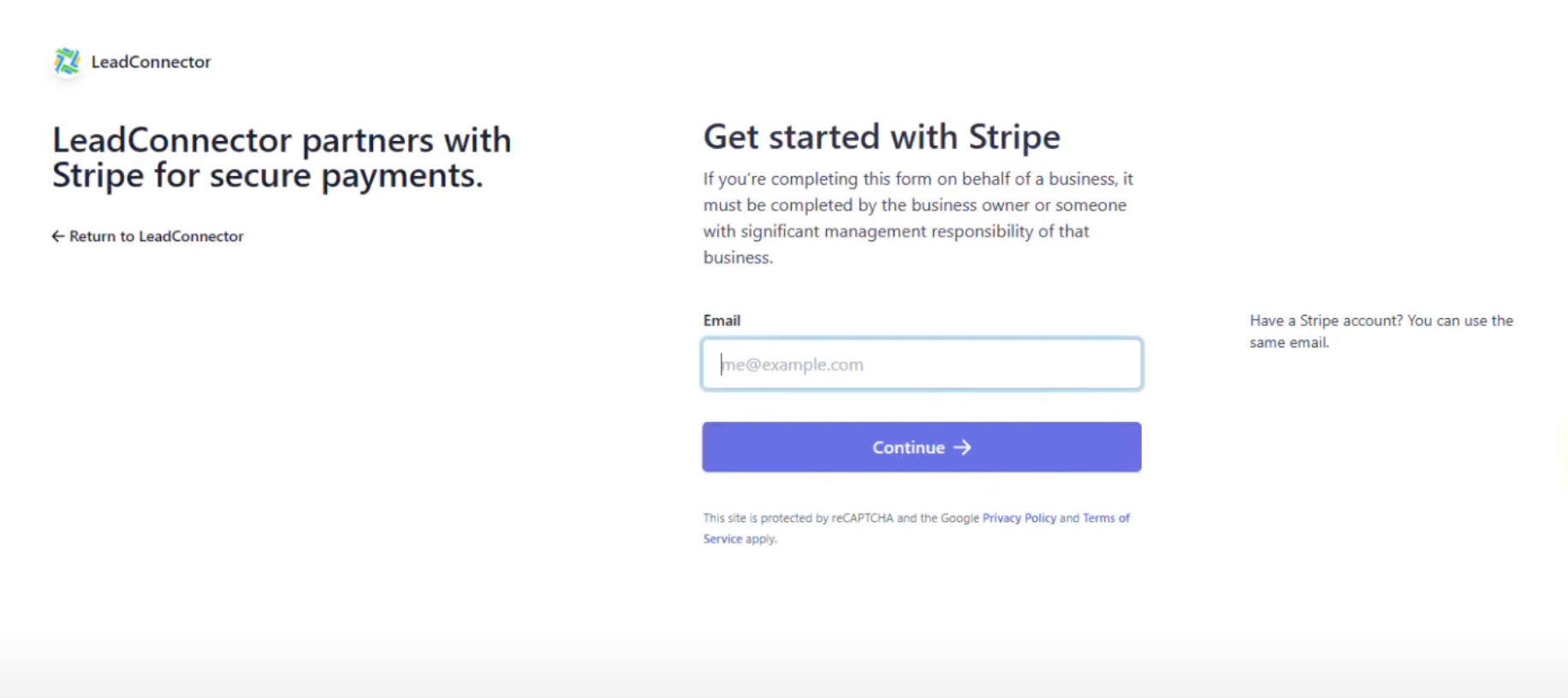
Step 2: Follow Stripe's authorization instructions.
Step 3: Verify that Stripe is enabled.
For hands-on help, email info@omnireach.co or chat with us directly!