
Reselling Products / Online Listings
OmniReach Listings Engine Selection Guide: Uberall Integration
Modified on: Thu, 30 Apr, 2026 at 10:48 AM
Uberall is a powerful local listings management platform now available to all OmniReach agencies. This support article will help you understand how to set up, manage, and make the most of this integration, so you can drive more visibility, consistency, and credibility for your clients online.
TABLE OF CONTENTS
- What is Uberall?
- Key Benefits of Uberall
- How to Choose Between Yext and Uberall?
- Pricing
- Existing Entity Subscriptions
- Getting Started
- How to Select Your Listings Engine (Agency-Level Setup)
- Changing the Engine Later
- Frequently Asked Questions
- Related Articles
What is Uberall?
Uberall is a global listings management engine that helps multi-location businesses ensure accurate, real-time presence across search engines, directories, maps, and apps. Think of it as your one-stop shop to boost local SEO for all your clients.
Key Benefits of Uberall
- Publisher Coverage: A Rich Publisher Network, including Google, Bing, Facebook, Apple Maps, TomTom, etc
- Geo Reach: Listing management supported in 47 countries
- Duplicate Suppression at Scale: Detects and suppresses duplicate content automatically
- Low Entity Conflict: Significantly reduces the chances of publishing conflicts (compared to traditional systems)
- GDPR, ISO & PCI Compliant: Built to meet global security and privacy standards. Click here to learn more
- Task Manager & Data Cleansing Tools: Helps you standardize and streamline location data updates across platforms
How to Choose Between Yext and Uberall?
| Feature | Uberall | Yext |
|---|---|---|
| Entity Conflict Risk | Low | Medium |
| Duplicate Suppression | Automatic | Manual |
| Task Management & Cleansing Tools | Yes | Partial |
| Geo Coverage (47 countries) | Yes | Yes |
| Support for SMBs < 50 Locations | Yes | Yes |
| Security & Compliance | GDPR, ISO, PCI | HIPAA, ISO |
| Customer Support | High-touch | High-touch |
Pricing
Regardless of whether your agency selects Uberall or Yext as your preferred Listings Management Engine, the pricing remains consistent across both options. You can subscribe to the Listings product at the following rates:
- $30 for 1 month
- $150 for 6 months
- $300 for 12 months (1 year)
This ensures you have complete flexibility in choosing the engine that best suits your clients’ needs, without any cost-based constraints.
Existing Entity Subscriptions
Already have business entities subscribed to Listings?
- Those will continue to work as-is with the current engine (Yext or Uberall)
- The engine selection only affects newly created entities after the selection
- If you with to switch an existing entity to the other engine, you'll need to:
- Unsubscribe it from the current engine
- Re-subscribe it once the agency-level engine is switched
- Unsubscribe it from the current engine
Getting Started
Engine Selection (Agency-Level Configuration)
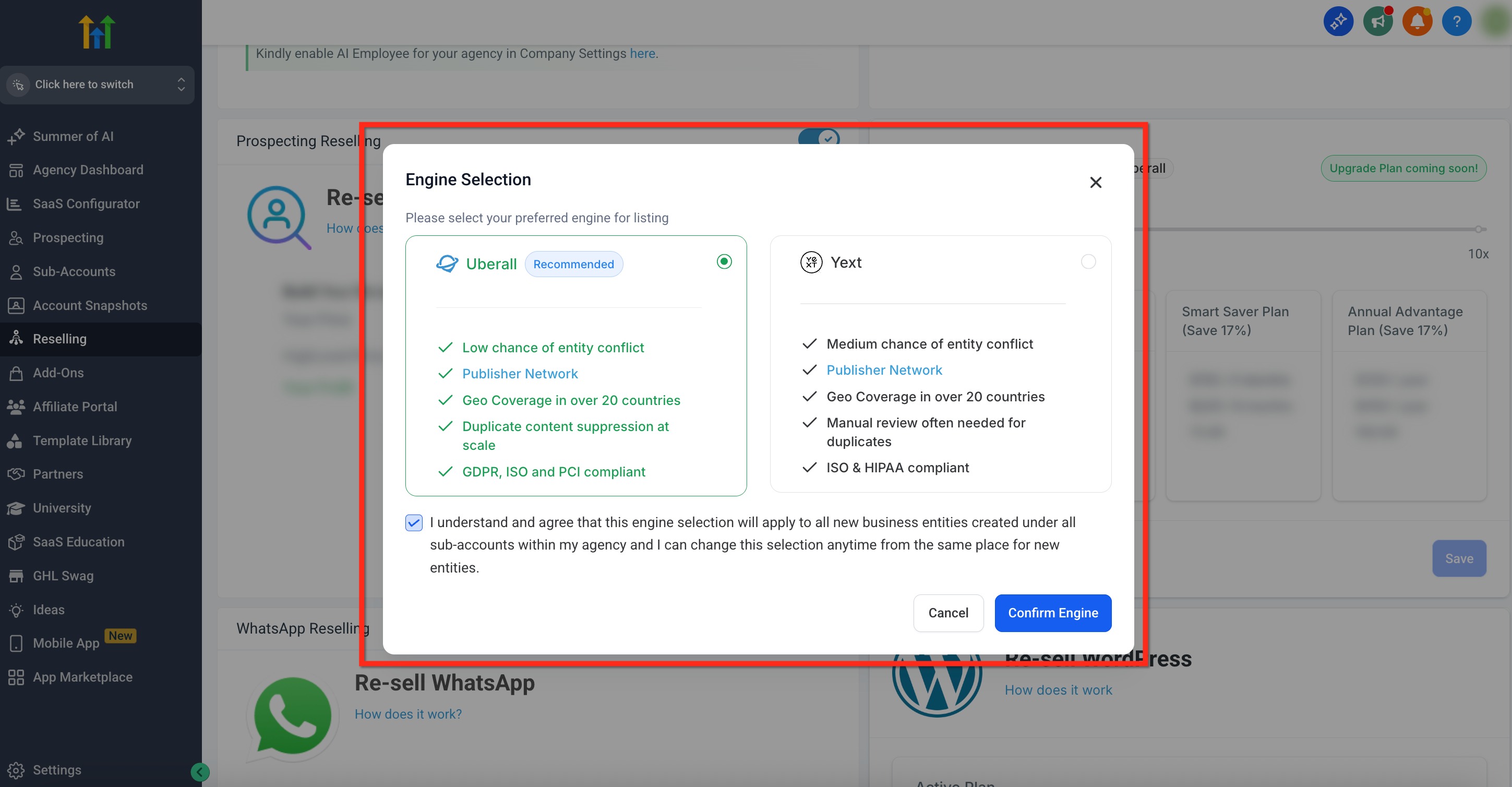
When you first access the Listings product, you will see a modal allowing you to choose between Uberall and Yext as your preferred Listings Management Engine
Checkbox Confirmation
After selecting an engine, you'll need to confirm via checkbox:
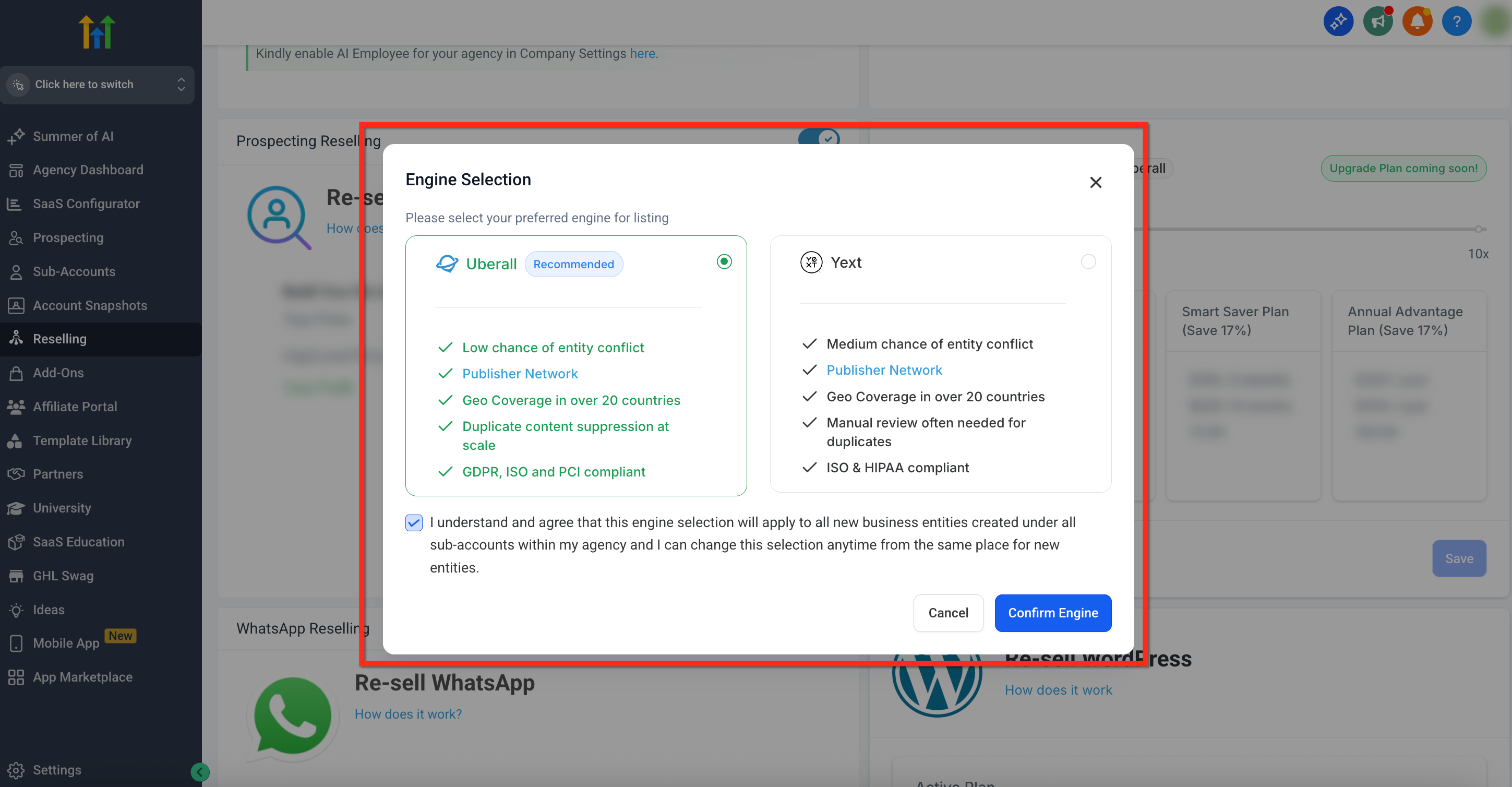
"I understand that this engine will be the default for all new entities my subaccounts create, and agree to move forward with this selection"
How to Select Your Listings Engine (Agency-Level Setup)
Here’s how to configure your preferred Listings engine:
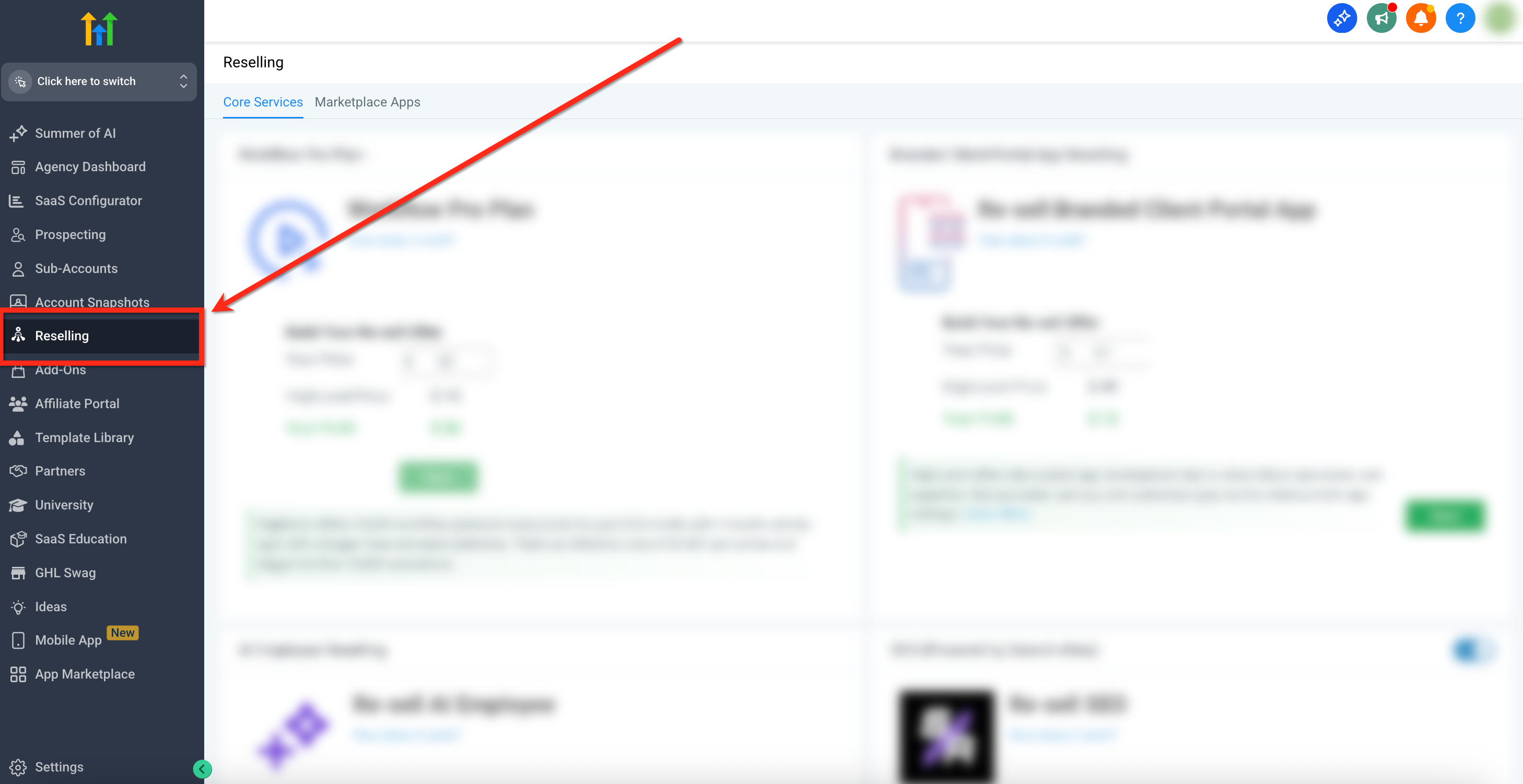
Step 1: Navigate to Reselling
- Log in to your agency dashboard in the OmniReach app
- From the left navigation menu, click on the Reselling tab
Step 2: Open Selection Modal
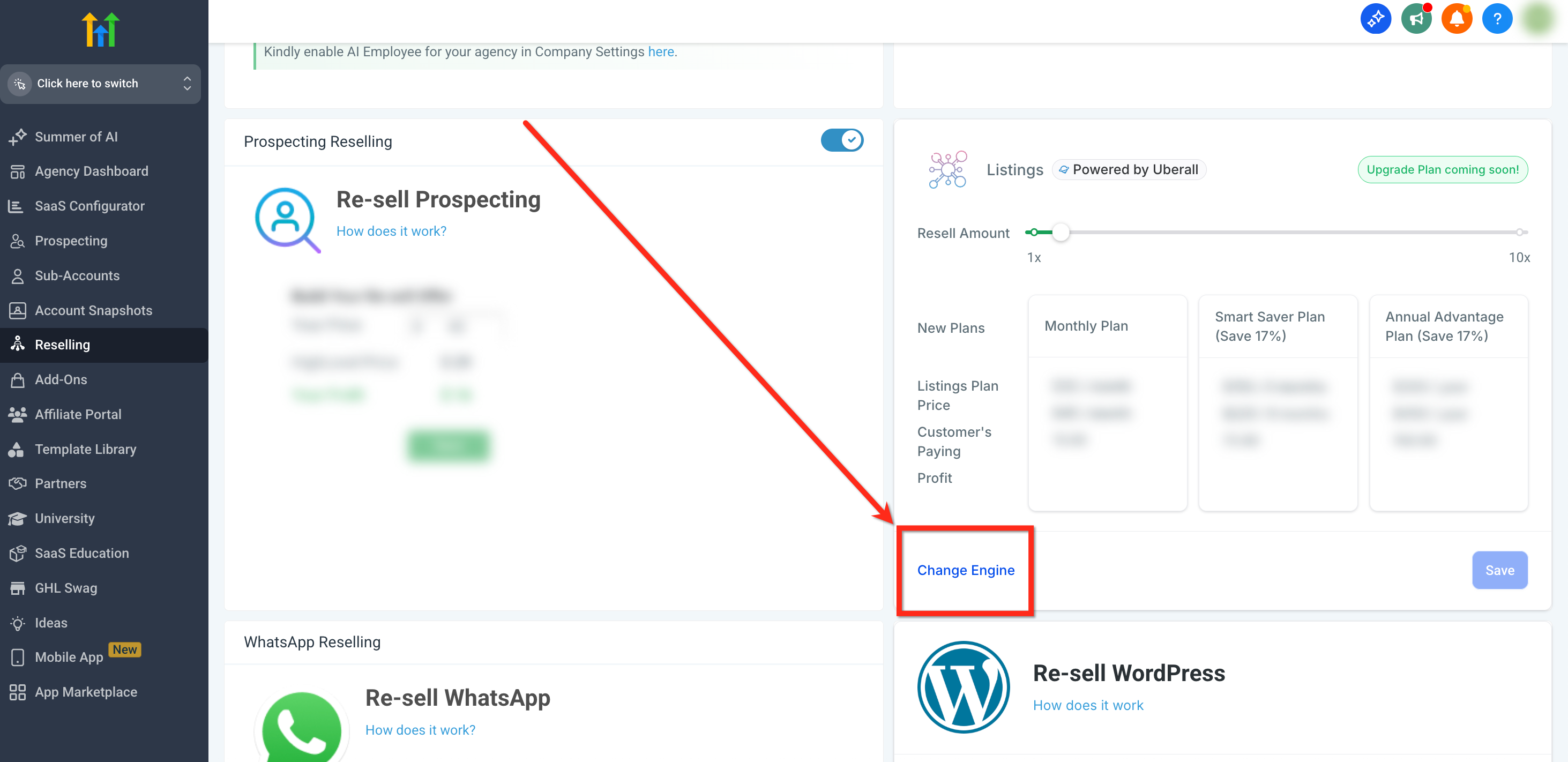
- Scroll down to locate the Listings card
- Click on Change Engine to open the selection modal
Step 3: Choose Preferred Engine
- You’ll see a side-by-side comparison of Uberall and Yext, including key benefits and differentiators for each
- Choose your preferred engine
- After selecting an engine, confirm using the checkbox after reading the warning
Step 4: Confirm Listings Engine
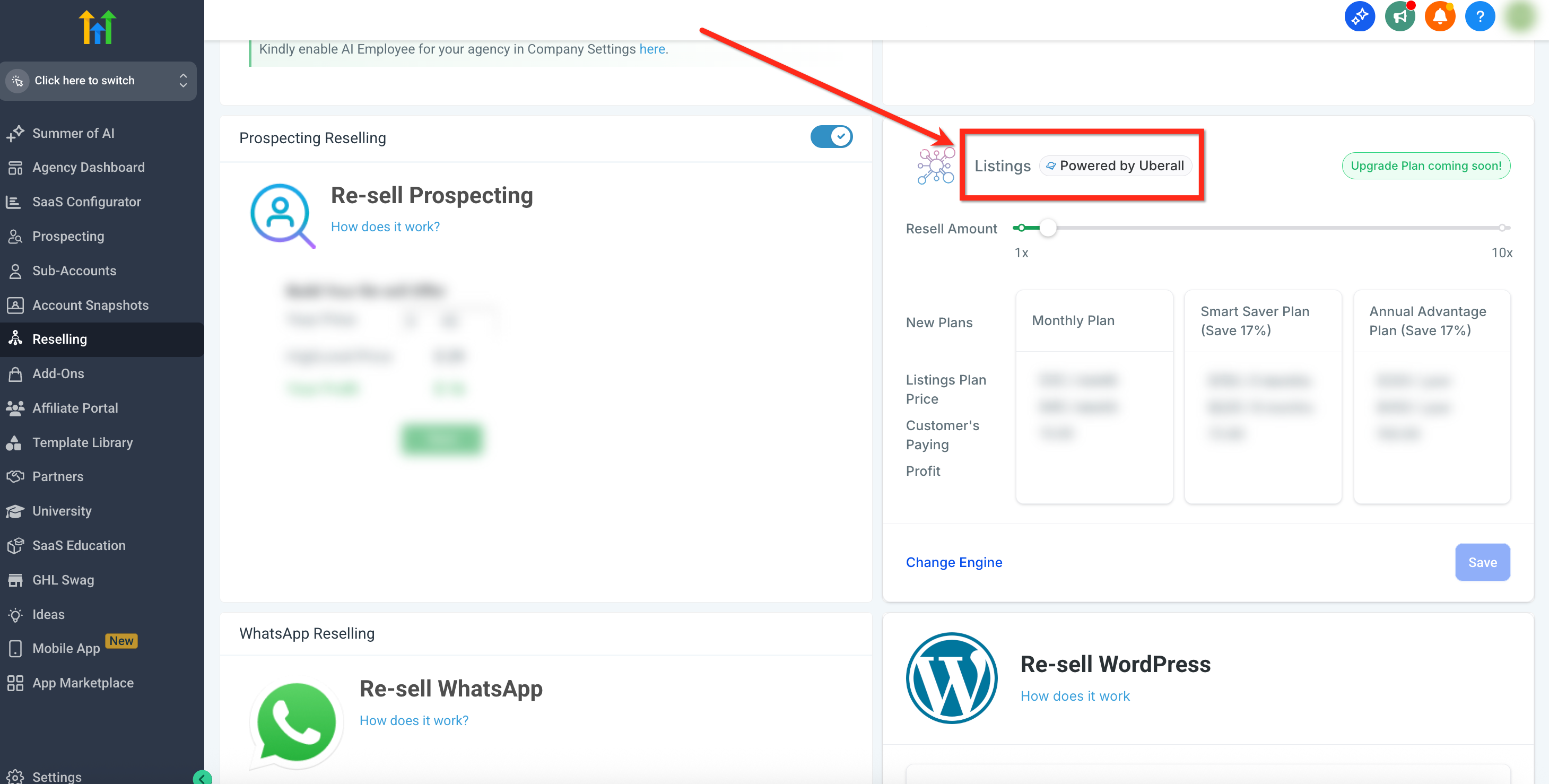
- Once confirmed, the selected engine will begin to reflect on the Listings card as Powered by Uberall or Powered by Yext
Changing the Engine Later
While the engine is initially locked in post-selection, you may request a change via the same engine selector modal for new entities. Please note:
All existing entities will still be active on the current engine. This is because switching to a new engine would essentially mean cancelling subscription from one engine and then activating it in the other engine - which may cause publisher data sync delays.,
The new engine will then become the active one for all future subscriptions.
Frequently Asked Questions
Q: Can I use Uberall for some sub‑accounts and Yext for others?
No, you cannot run listings through both engines in parallel for the same agency. You can switch later, but the change is made at the agency level, not the sub-account level.
Q: What happens to my current listings when I switch engines?
Those will continue to work as‑is with the current engine (Yext or Uberall). The engine selection only affects newly created entities after the selection.
Q: Will my clients see Uberall or Yext branding?
Sub-accounts will always experience a white labeled version of the Listings product, so they won’t see the underlying engine name.