Account Snapshots / Snapshots
Creating Custom Objects using Snapshots
Modified on: Wed, 15 Oct, 2025 at 1:38 AM
This support doc provides step-by-step instructions on using the Custom Object Support in Snapshots feature. Customers can copy custom object data, including all custom fields and associations, between sub-accounts. The doc highlights feature benefits, usage instructions, and important limitations, enabling users to easily replicate custom object data across multiple sub-accounts.
In this article
- Custom Object Support in Snapshots
- Custom Object Associations
- How to Copy Custom Objects Between Sub-Accounts
- Important Limitations
Custom Object Support in Snapshots
You can now include custom objects and all their associated custom fields (not limited to primary fields) within snapshots. This enables you to effortlessly copy custom object data across multiple sub-accounts.
Custom Object Associations
Custom objects are automatically associated with other custom objects or contacts within the snapshot process. Associations are included by default and cannot be modified or deselected during snapshot creation.
How to Copy Custom Objects Between Sub-Accounts
Follow these steps to copy custom object data:
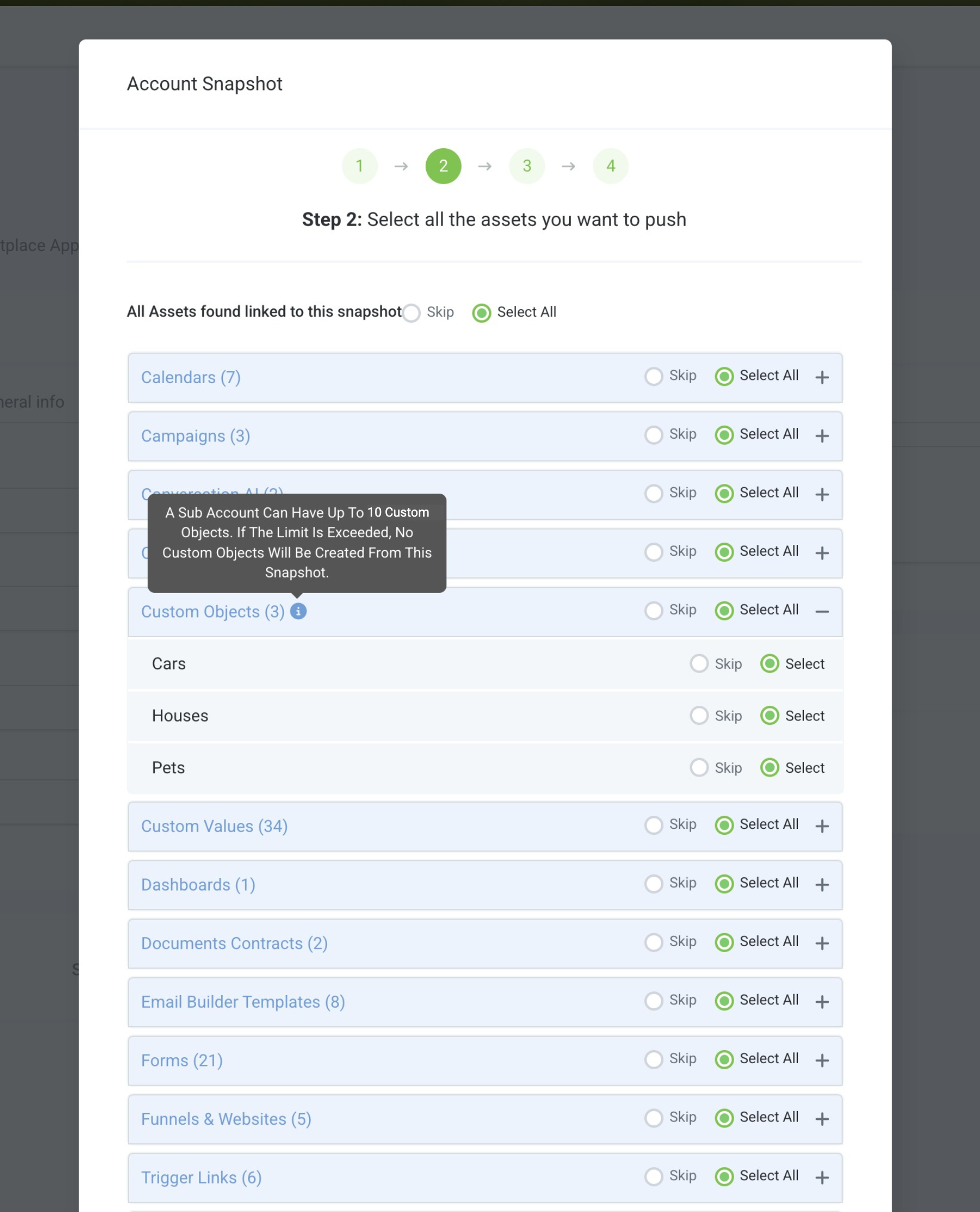
Navigate to Agency > Account Snapshots > Create Snapshot.
Select the custom object you want to include in the snapshot.

The selected custom object’s fields and associations (to other custom objects or contacts) will automatically be included.
Choose the source and target sub-accounts to complete the snapshot transfer.
Important Limitations
Custom Object Limit per Snapshot:
A snapshot can contain a maximum of 10 custom objects per sub-account. If importing the snapshot would exceed this limit, no custom objects will be created in the target sub-account.